


Trading notes are designated to help traders record and review their orders, which is an essential way to reflect and make progress. Follow this guide to learn how to use this function, it will be of great help to your future trade.
Click here to know more about “Post” and “Note”
App
Step 1 Click “Note”
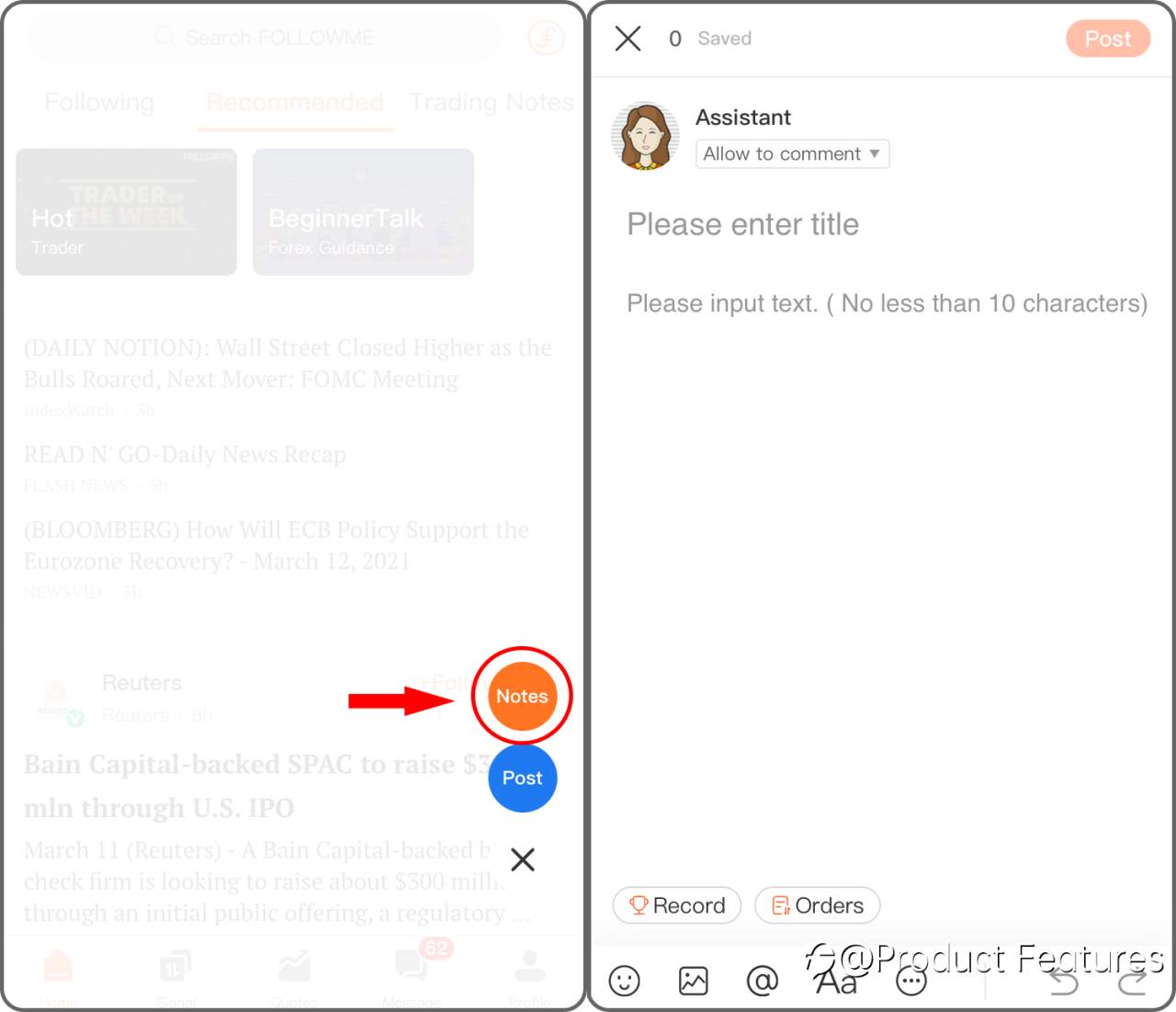
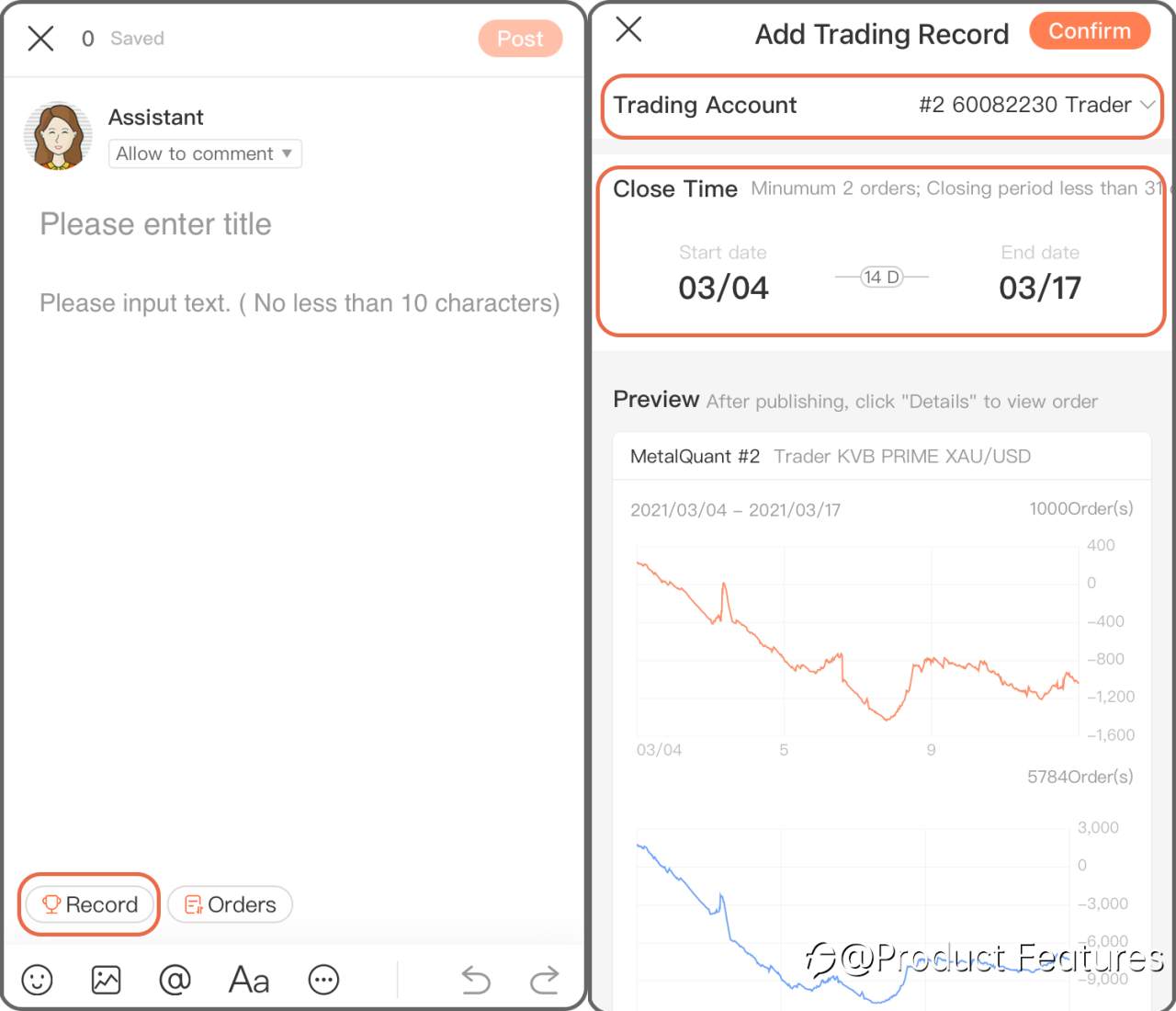
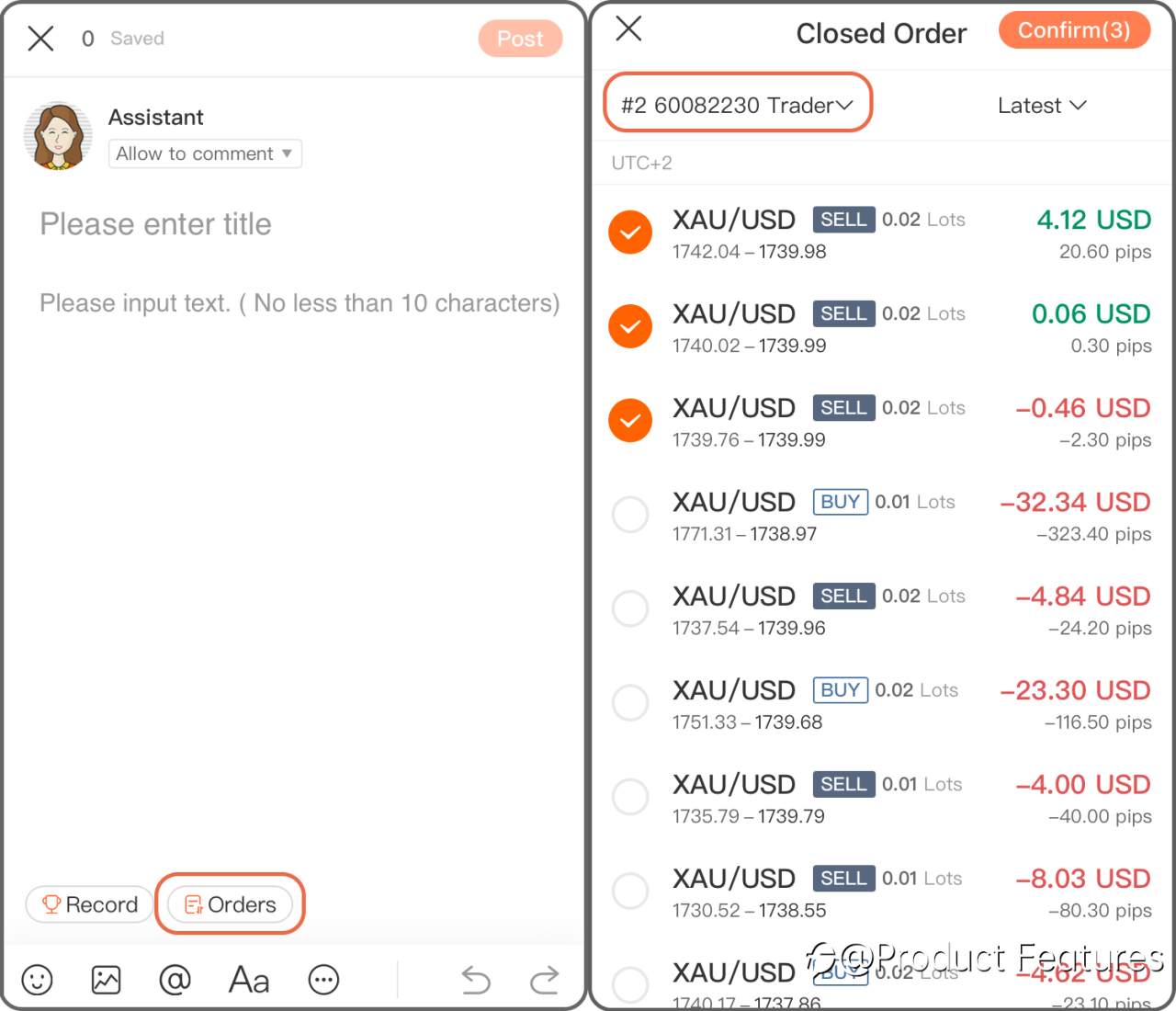
Step 2 Chose “Record” to add a trading history in a period of time; if you only want to add a single order, click “Order” then.
Trading Record: Select a trading account,and choose the date.Minumun 2 orders; Closing period less than 31 days.
Trading Order: Choose a live account and select orders.
Web
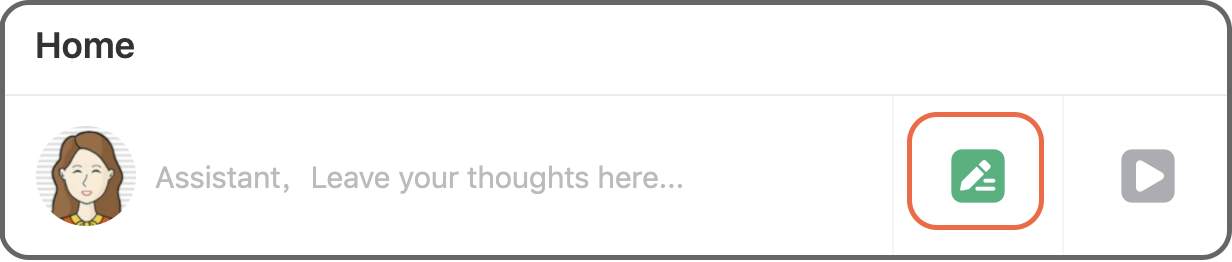
Step 1 Click the green“pencil” button.
Step 2 Click “Record” to insert a trading history in a certain period of time, if you only want to add a single order, click “Order” then.
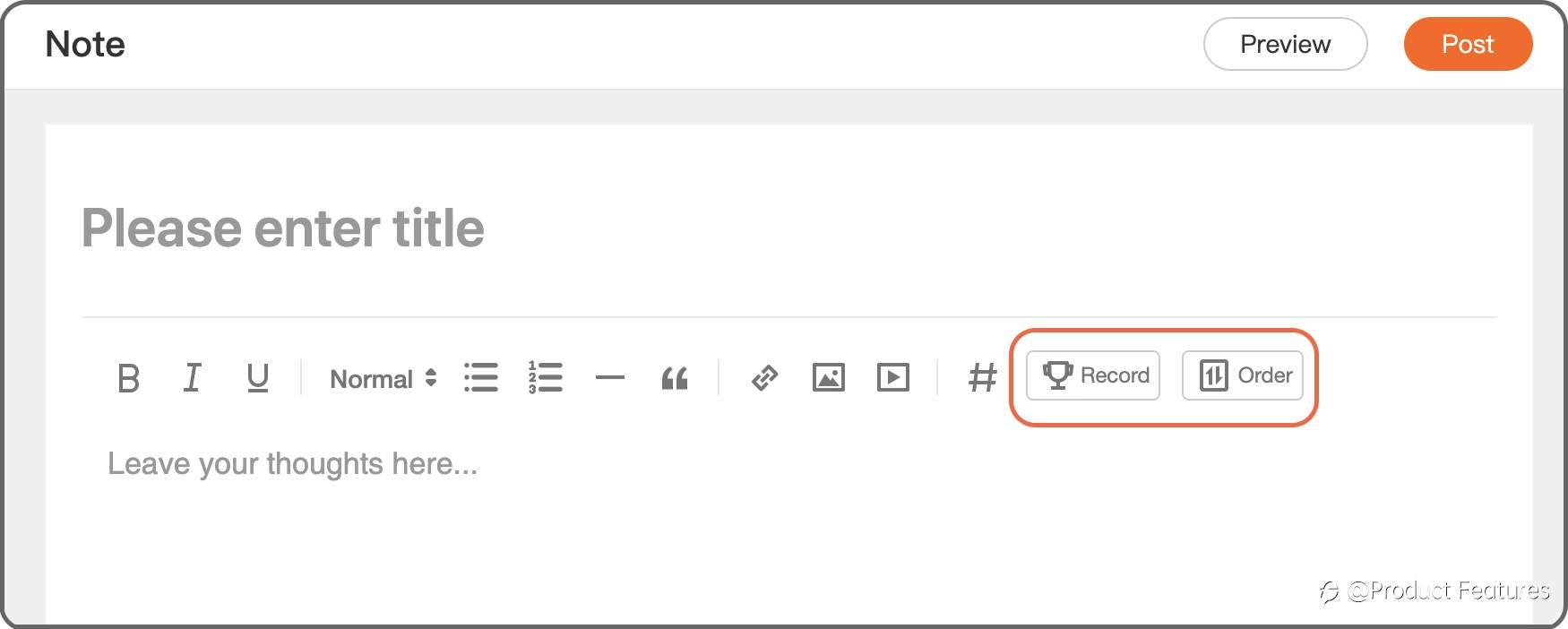
Trading Record: Select a trading account, and choose the date.Minimum 2 orders; Closing period less than 31 days.
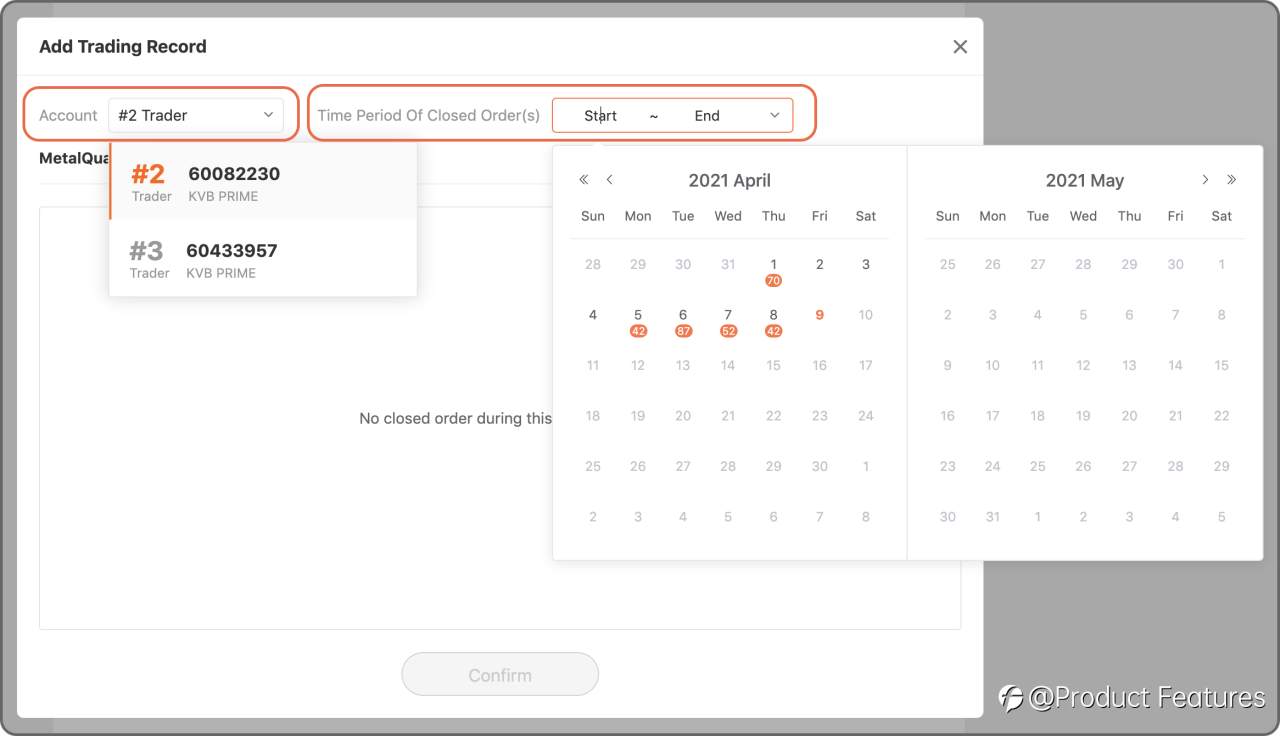
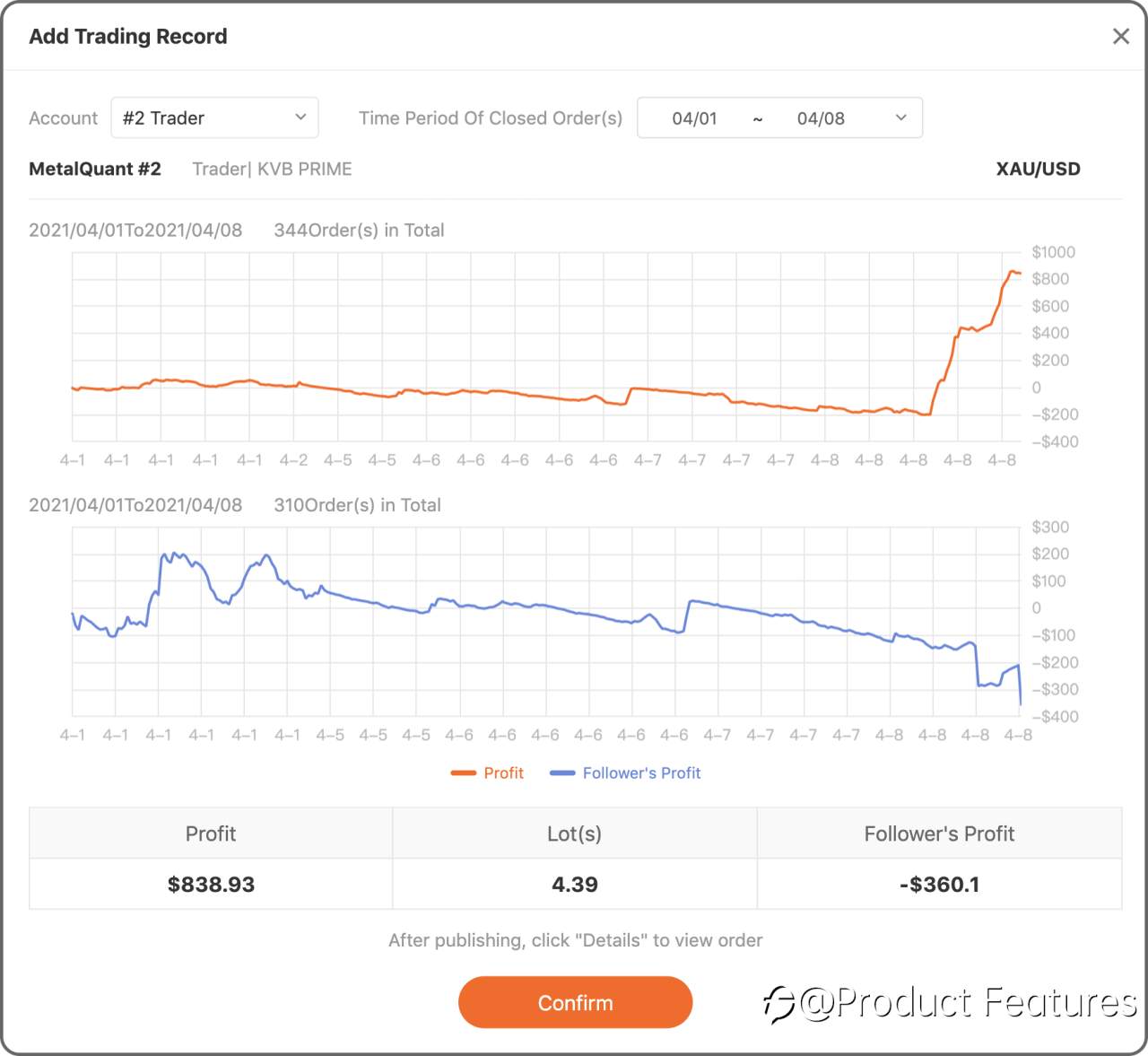
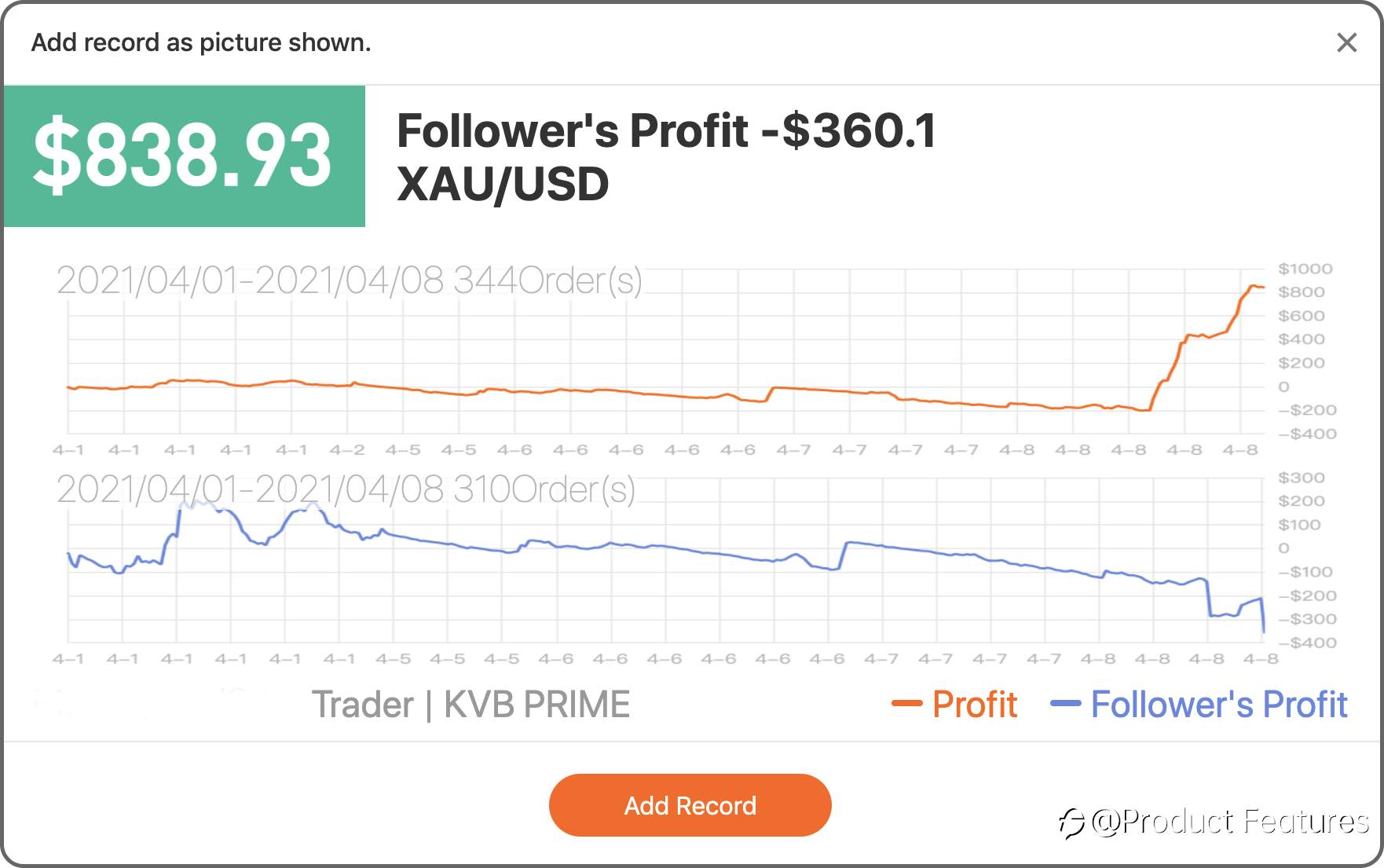
Trading Order: Choose a live account and select orders.
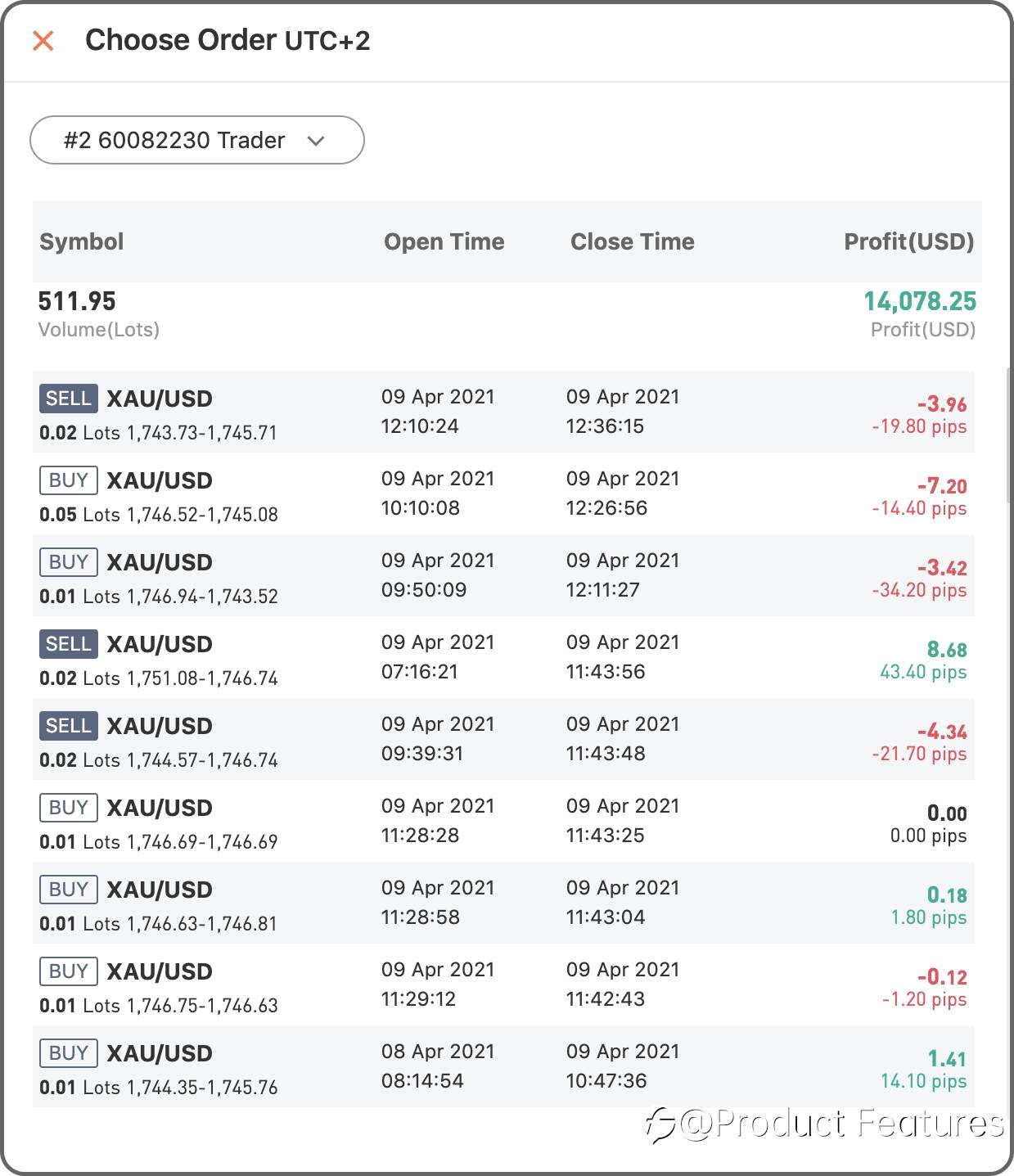
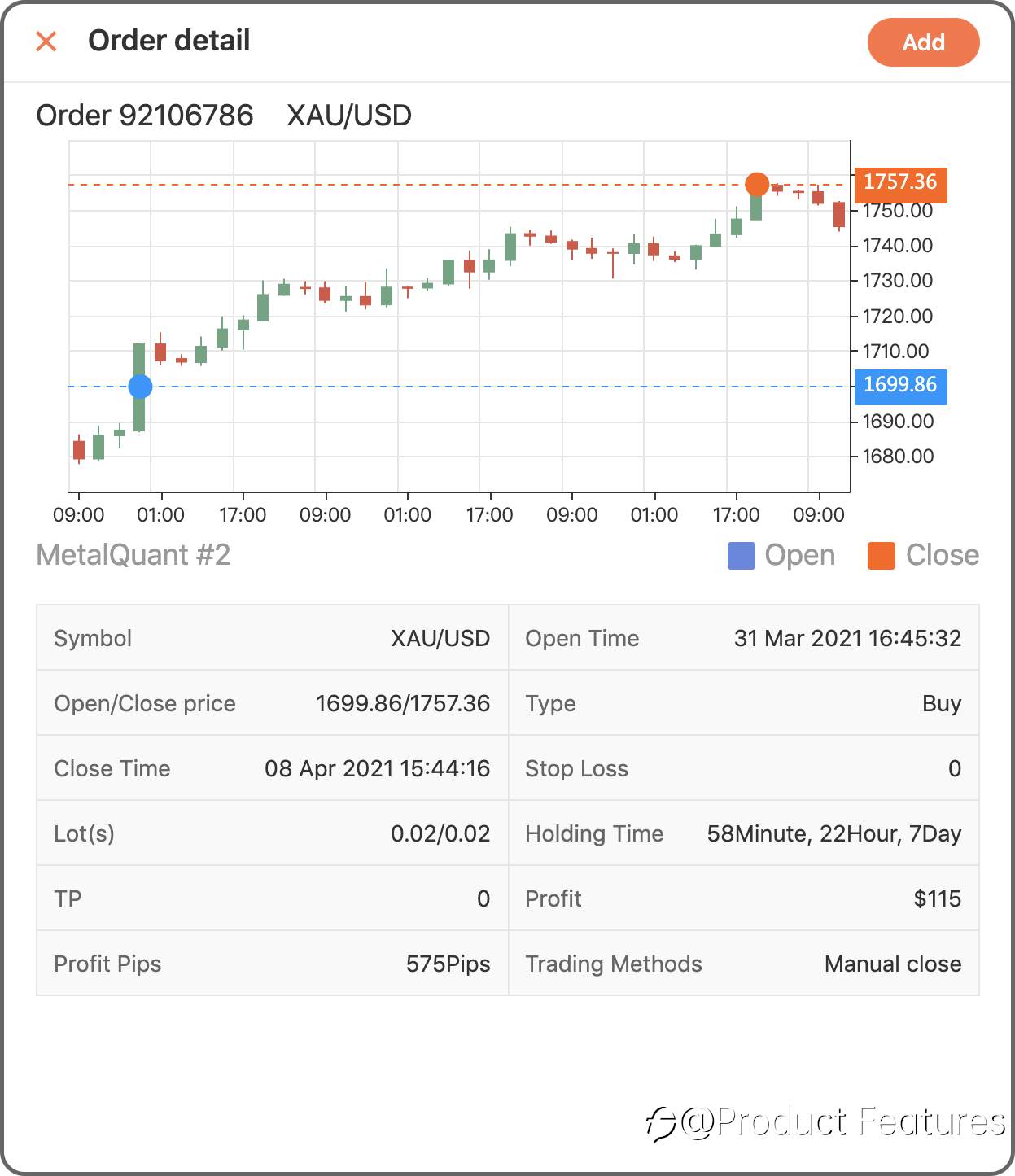
Easy?Go write your first trading notes.
تم التحرير 12 Apr 2021, 17:43
إخلاء المسؤولية: الآراء الواردة هنا تعبر فقط عن رأي الكاتب، ولا تمثل الموقف الرسمي لـ Followme. لا تتحمل Followme مسؤولية دقة أو اكتمال أو موثوقية المعلومات المُقدمة، ولا تتحمل مسؤولية أي إجراءات تُتخذ بناءً على المحتوى، ما لم يُنص على ذلك صراحةً كتابيًا.


اترك رسالتك الآن